
Scriptorium.
Your writing companion, and a home for every idea.
A distraction-free Markdown editor that reads and writes plain `.md` files on your own disk. Headings, lists, code and math render live; nothing leaves your machine.
- Run the installer.
- Launch Scriptorium from the start menu.
- Keep the exe wherever you like, a USB stick included, and double-click it. There is no installer and no Node to set up.
- On first run it unpacks its server into
%APPDATA%\Scriptorium\portableand keeps itsconfig.jsonthere, so the workspace setting stays on that machine. Your documents live wherever you point Scriptorium, the stick included.
64-bit Windows. The package carries its own Node runtime, so Node does not need to be installed.
- Open the disk image and drag Scriptorium into Applications.
- The app is not signed with an Apple developer certificate, so macOS refuses the first launch. Clear the quarantine flag once:
xattr -cr /Applications/Scriptorium.app - Open Scriptorium from Launchpad. macOS asks nothing after that.
- Extract the archive and move Scriptorium into Applications.
- Clear the quarantine flag once, for the same reason as the disk image:
xattr -cr /Applications/Scriptorium.app
Apple Silicon. The app carries its own Node runtime, so Node does not need to be installed.
- Give the file its executable bit:
chmod +x Scriptorium_1.3.1_amd64.AppImage - Run it:
./Scriptorium_1.3.1_amd64.AppImage
Runs on any distribution, x86_64. On the ones that ship FUSE 3 only, install libfuse2 first, or unpack the image with --appimage-extract.
- Install the package:
sudo dpkg -i Scriptorium_1.3.1_amd64.deb - Launch Scriptorium from the applications menu, or run
scriptoriumin a terminal.
Debian, Ubuntu and derivatives, x86_64. The package carries its own Node runtime, so Node does not need to be installed. This is the one format with no in-app update: a system package is the package manager's business, so Scriptorium tells you a version is out and leaves the install to dpkg.
Installers are built for every version tag. See all versions
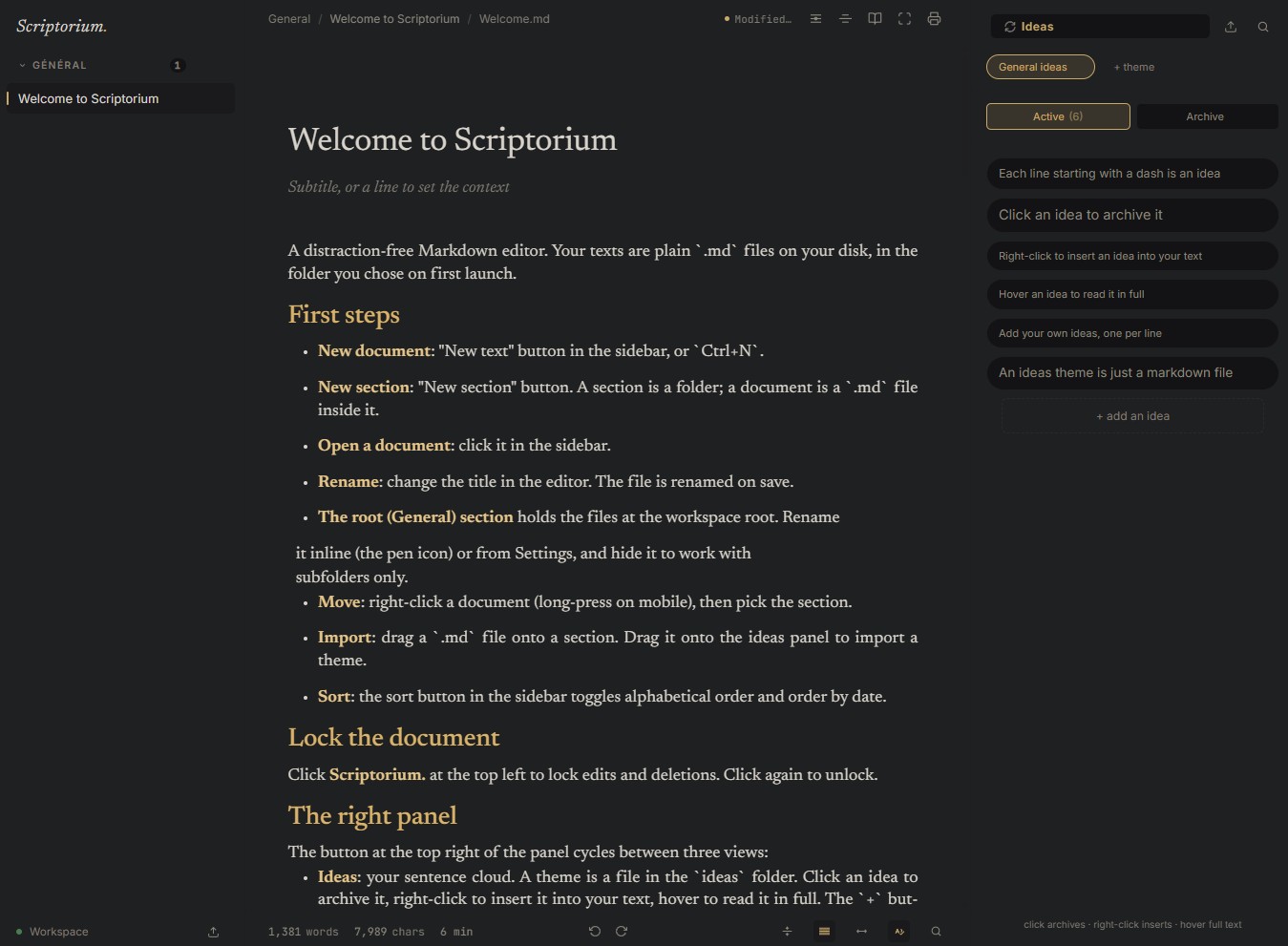
What Scriptorium does
Ideas, the heart of Scriptorium
Sentences you collect as they come, grouped into themes, one plain `.md` file per theme. Drag an idea to reorder it, drop it on another theme to move it there, or drag it straight into your document to insert it as a block. Click archives, right-click inserts, search filters the theme you are in.
Your files, your disk
Every document is a plain `.md` file. A section is a folder. Scriptorium mirrors your workspace, it does not lock it.
Live rendering
Markdown, LaTeX, highlighted code, tables and callouts render live. The line you are editing switches back to raw source.
Snapshots
A per-document revision history. Compare, restore, come back before a big cut.
Distraction free
Focus mode, typewriter, paragraph focus, continuous reading. The interface steps aside.
Offline
No CDN, no network dependency for editing. Everything is served from your machine.
Full-text search
Search across titles, document bodies and ideas in one keystroke (`Ctrl+P`).
Two ways to run
As a native window on Windows, macOS and Linux, or as a small server you reach from any browser, a phone or a tablet on your own network included. Same codebase, same behaviour.
Made to your taste
Named colour themes you can clone and reset, each carrying its own interface font, editor font and background image or video. Import your own fonts and icons, adjust block spacing and line height, or turn the editing area into a white page.
Images where you drop them
Paste, drop or drag an image onto the editor and it lands in the workspace, inserted as plain Markdown at the line you aimed at. Type %% anywhere to open the gallery of what you already have.
Export
Print or export to PDF as a book, to a standalone HTML file, or back out as Markdown. Nothing you write is trapped in the app.
Portable workspaces
Every workspace keeps its own theme, fonts, icons, snapshots and settings in one hidden folder at its root. Copy the folder to another disk or another machine and the whole setup follows.
Lock
One click on the name blocks edits and deletions. Enforced by the server, not just hidden in the interface.